
Troubleshooting Your Video Doorbell: Understanding the Power Pitfall You Might Be Ignoring
New high-definition video doorbells have become incredibly popular for enhancing home security, but many homeowners find their shiny new devices are consistently “acting up” or seemingly failing to function reliably. A primary, yet frequently overlooked, reason behind these issues is surprisingly simple: power. While you might assume your doorbell wiring is straightforward, new HD video doorbells are significantly more power-hungry than traditional push-button doorbells. These modern devices continuously stream high-definition video data, manage power-intensive night vision LEDs, and maintain a constant WiFi connection—tasks that demand much more energy than simply closing a circuit to momentarily ring a physical chime. The mistake many homeowners make is attempting to power these demanding new doorbells using the existing standard or builder-grade power transformer installed for their old doorbell.
The Educational Deep Dive: VA Rating and Power Supply
To truly understand why your video doorbell might be underpowered, it’s essential to understand how power is supplied. Most standard or builder-grade doorbells are designed for very low power consumption and utilize transformers with a relatively low VA (Volt-Ampere) rating. This VA rating essentially represents the transformer’s total power output capability. Standard doorbells typically function just fine on relatively low power and a smaller transformer. In stark contrast, new HD video doorbells have a specified minimum VA rating required for proper, reliable operation. If your existing transformer’s VA output is below this minimum, your doorbell simply cannot draw sufficient power to function correctly across all its modern, demanding modes of operation.
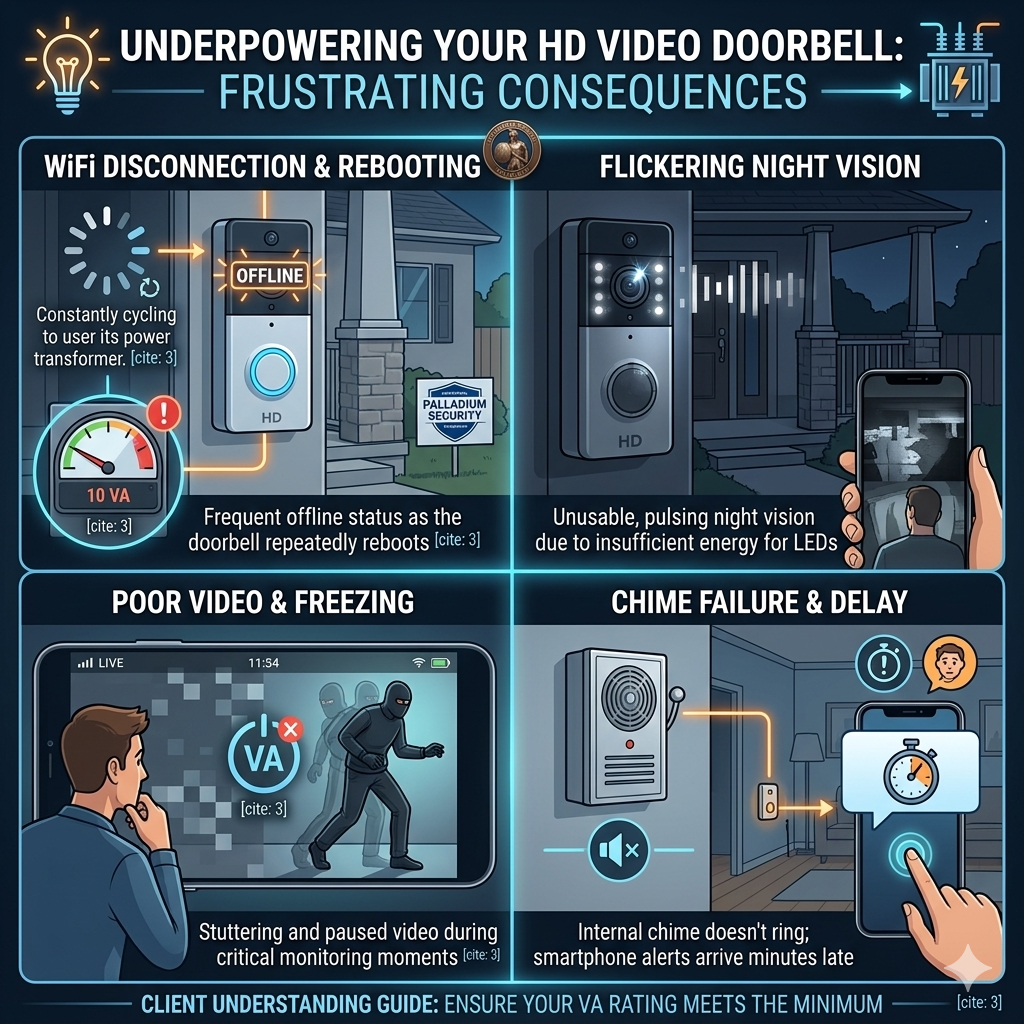
When a video doorbell is consistently underpowered, it can exhibit various frustrating symptoms, including:
- Frequent offline status or disconnecting from your WiFi network
- Night vision lighting issues, such as flickering or dimmer than normal illumination
- Poor video quality, including freezing or stuttering footage
- Significant delays in receiving notifications for motion detection or doorbell presses
- Physical chime issues, where the chime may fail to ring, or do so weakly or intermittently
- Repetitive rebooting cycles
What to Look For and Critical Safety Advice
Here is how you can check your existing power setup and what you should consider for a safe upgrade:
- Identify your existing transformer: locate your doorbell transformer and check its specifications label, usually looking for output voltage and the VA rating.
- Consult your new video doorbell’s documentation: check your doorbell’s installation manual or specifications for its required minimum VA rating. Compare your transformer’s VA rating with the doorbell’s minimum requirement.
- CRITICAL SAFETY WARNING: DO NOT REPLACE A HARD WIRED TRANSFORMER YOURSELF:. Working with high-voltage wiring is extremely dangerous. A qualified, licensed electrician must perform any wired-in transformer replacement to ensure safety and code compliance.
- SAFE DO IT YOURSELF OPTION IS A PLUG IN TRANSFORMER:: if a wired-in replacement isn’t feasible, you can choose to use a plug-in transformer specifically designed for video doorbells. These safely plug into a standard indoor outlet and utilize simple, low-voltage wiring connections that are much safer for homeowners to handle as a DIY project, avoiding complex electrical work while ensuring sufficient power is supplied to your doorbell.
Don’t let power pitfalls prevent you from enjoying the full security benefits of your new video doorbell. By ensuring your device is adequately powered with the correct VA rating, you can enjoy reliable, high-performing security for your home, avoiding frustrating malfunctions and maximizing its effectiveness.